How this guide works
You build one application across nine steps. Each step matches one lab sheet. The pages show the target design, the code (open the file panels to compare with your own), the command to run it, and the real output or a real screenshot of the reference solution.
The rule: try the lab first. Open the reference code only to check your work or when you are stuck. Typing the code yourself is where the learning happens.
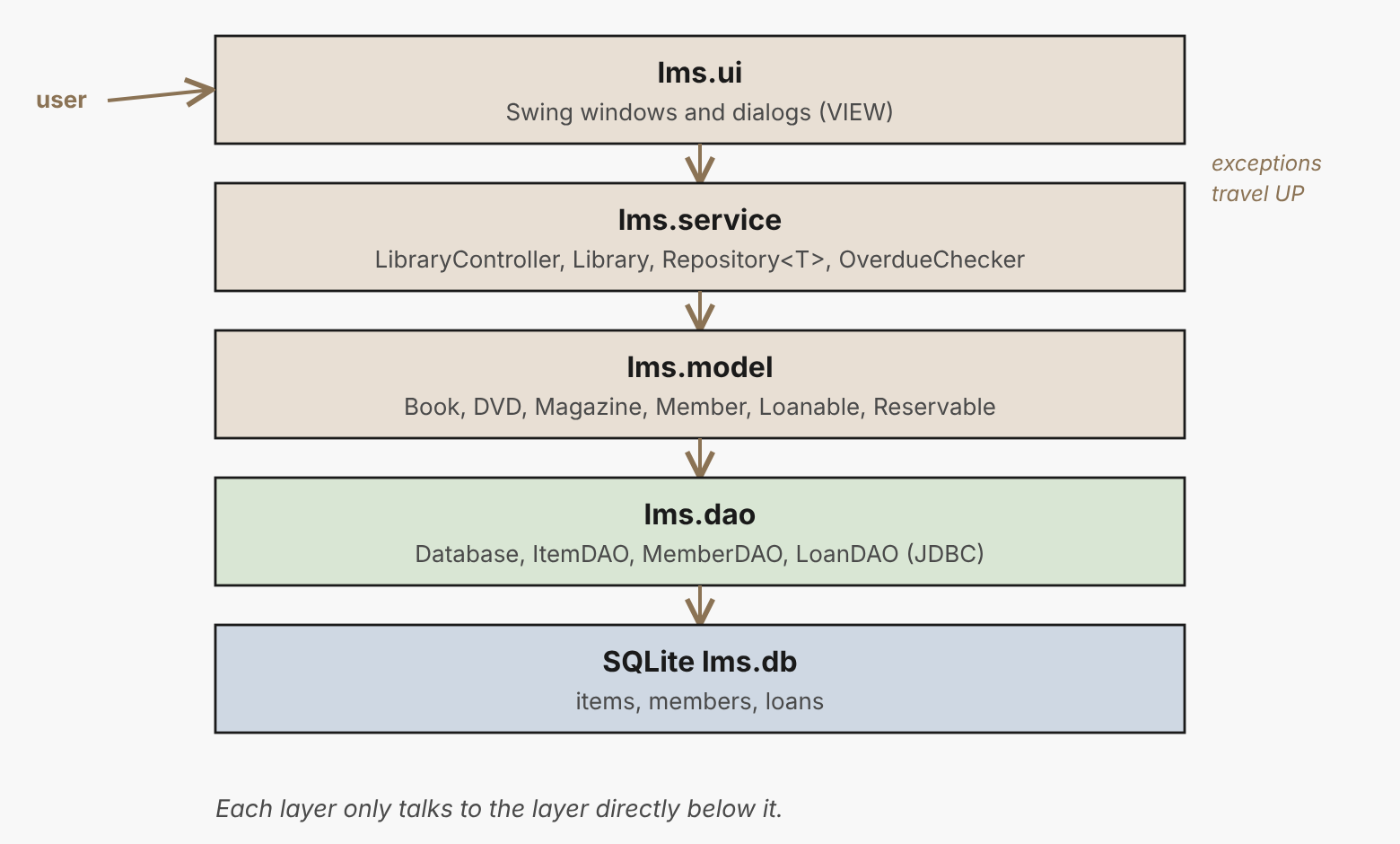
The nine steps
The finished project layout
lms-<index>/
├── README.md   pom.xml   build.sh   .gitignore
├── docs/                      UML, ER, screenshots
├── lib/                       sqlite-jdbc jar (not committed)
└── src/lms/
    ├── GuiMain.java   DaoDemo.java   RaceDemo.java
    ├── model/         Book, DVD, Magazine, LibraryItem, Member, Student, Staff, Loanable, Reservable
    ├── exception/     ItemNotAvailableException, MemberNotFoundException, DataAccessException
    ├── service/       Library, LibraryController, Repository, OverdueChecker
    ├── dao/           Database, ItemDAO, MemberDAO, LoanDAO
    └── ui/            MainFrame, ImportWorker
Download the reference solution
Every week's code, compiled on JDK 21, plus the finished project: SENG12233_LMS_Reference_Solution.zip. Release it only after each PR deadline.
Before you start
- JDK 21 installed (
java -version) - Git working and a private GitHub repository
lms-<index>created (see the Git Support Guide) - An IDE of your choice (IntelliJ IDEA, Eclipse or VS Code)